Ready-made rotations
2 on 2 off, 24 hours on 3 off, day-night-off, Monday to Friday — or your own cycle of any length.
Shiftik knows your schedule ahead: it shows how long until your next shift, wakes you up on time and works out your pay for the month. No sign-up, no internet needed.
Free · Android 7.0 and newer
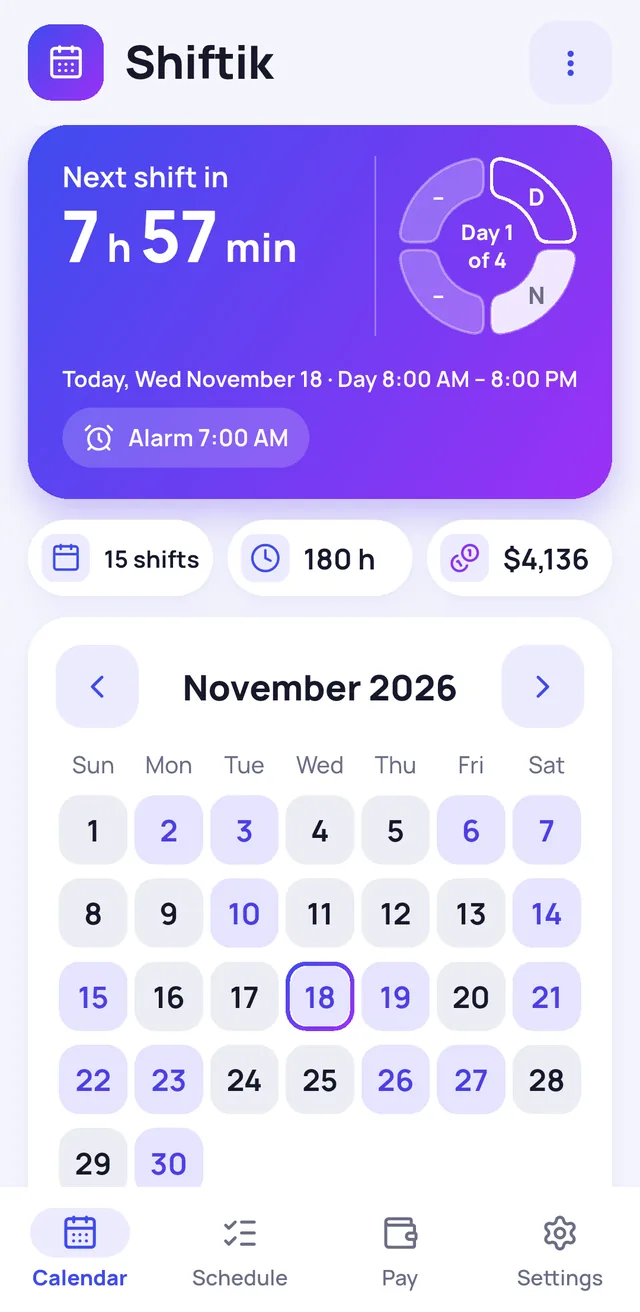
Pick your rotation once — Shiftik lays out your shifts for months ahead and keeps track of each one.
2 on 2 off, 24 hours on 3 off, day-night-off, Monday to Friday — or your own cycle of any length.
Its own time for each shift type and a reminder the evening before. It rings even when the app is closed.
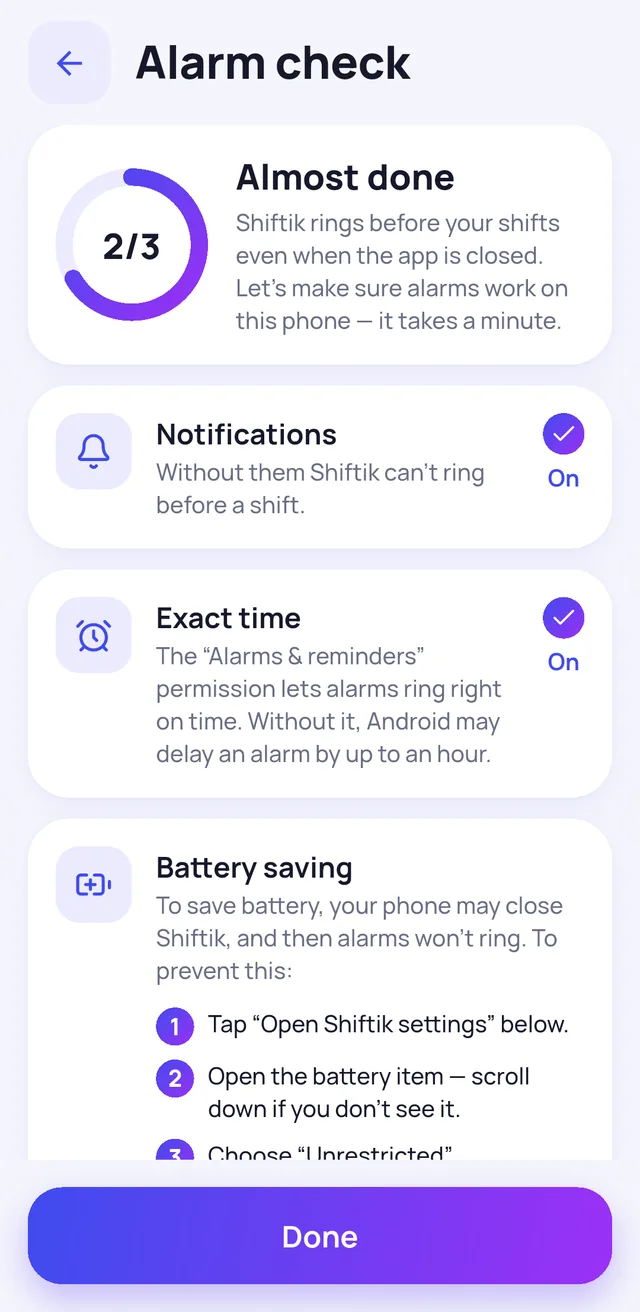
Shows what to turn on in your phone so alarms aren't late. And lets you set a test alarm.
A swap, sick leave, vacation, different hours or a note — without editing the whole rotation.
Hourly or per-shift rate, night, holiday and overtime pay. A new rate starts from the date you choose.
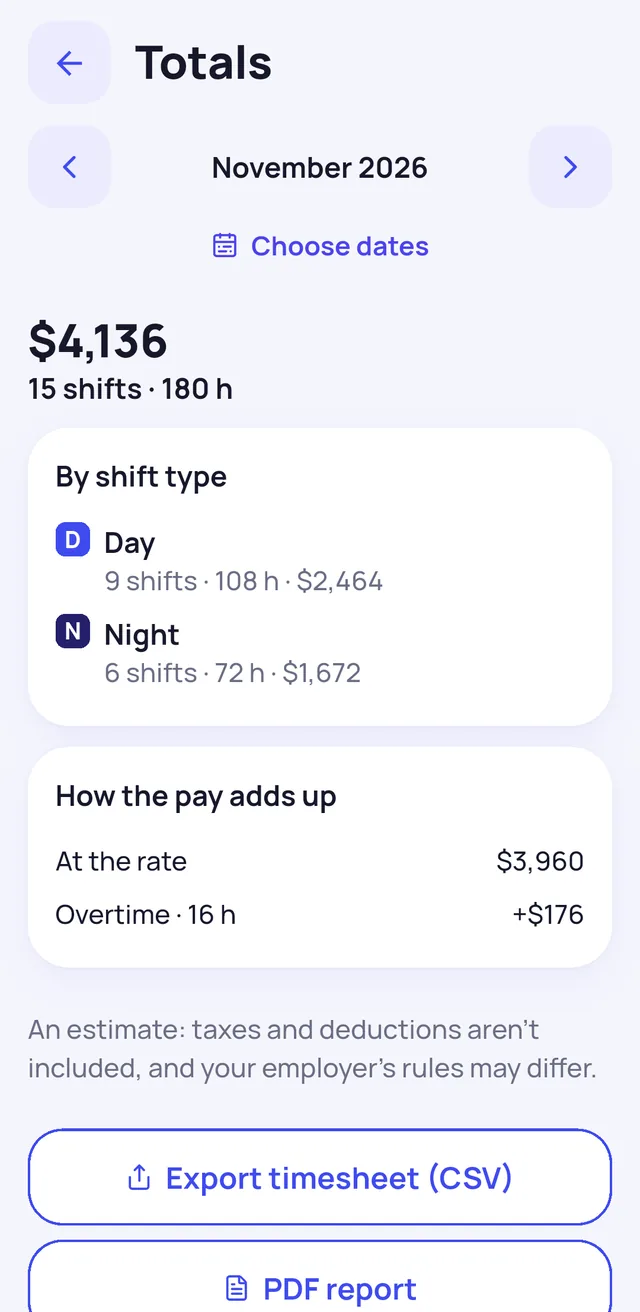
Shifts, hours and pay for a month or any dates. Export the timesheet to CSV.
A month or two weeks of shifts right on your home screen.
Left a job, parental leave or long sick leave: shifts and alarms pause, your history stays.
Schedule, rates and day changes in one file — take everything to a new phone.
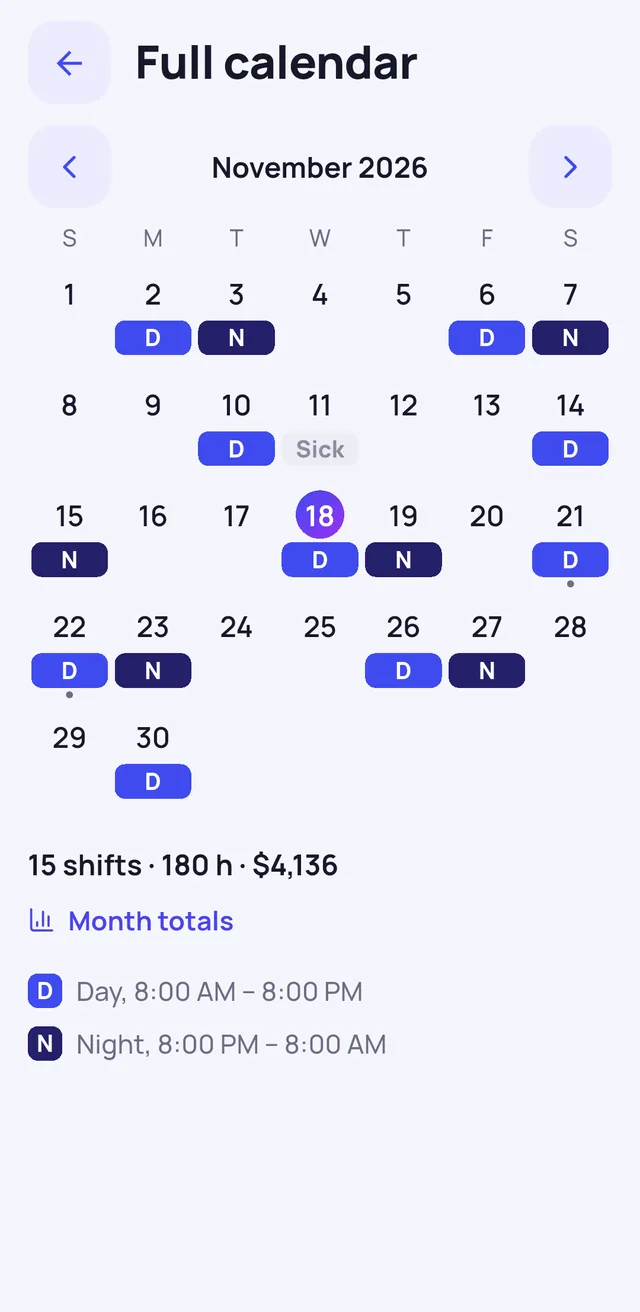
Shifts, days off and sick days at a glance. Tap a day to add a swap, sick leave or a note.
Shiftik counts by your rates and rules and shows what the total is made of.
Android saves battery and may close an app at the worst moment. Alarm check shows what to set up on your phone so the alarm rings on time.
Yes. The calendar, alarms, pay, totals, widgets and backup are free and will stay free. No ads, no subscriptions.
No. Your schedule, alarms and pay work offline.
Only on your phone: there's no sign-up, and your schedule and pay aren't sent anywhere. Details are in the privacy policy.
Shiftik sets exact Android alarms and rings even when the app is closed. Some phones close apps to save battery — Alarm check shows what to set up and lets you set a test alarm.
Save a backup to a file and restore it on the new phone: Settings → Backup.

Free, no sign-up and no ads. Android 7.0 and newer.